Best Wi-Fi Routers for Home in India 2026
Your broadband plan is probably faster than your router. Four routers worth buying, and the one spec that decides whether the far bedroom works.
Quick Comparison
Which router should you buy?
Quick answer: If your plan is 100 Mbps or more, buy a router with gigabit ports. That one spec matters more than the wireless speed on the box.
For most Indian flats the Archer C6 is the sensible buy. For a house with thick walls, a mesh system is the only thing that actually works.
I compared the listings on price, port speed and ratings count before shortlisting, and the results are below.
Your ISP router is the problem
Nearly every broadband connection in India ships with a free router, and nearly all of them are bad.
They're built to a price, they cover one room properly, and their processors struggle once a dozen devices connect.
So you pay for a 200 Mbps plan and get 40 Mbps in the bedroom. That's the router, not the line.
Swapping it is usually the cheapest speed upgrade available to you, and it takes about ten minutes.
Keep it though. It handles the connection to the line and you still need it sitting behind the new one.
Gigabit ports, or your plan is capped
This is the spec that catches people, because it isn't printed on the front of the box.
A router with 100 Mbps LAN ports physically cannot pass more than that over a cable, no matter what plan you pay for.
So if your plan is 150 Mbps or 300 Mbps, a non gigabit router throws the rest away.
Check the port speed before anything else. The AC750 above has 100 Mbps ports and the other three have gigabit.
Dual band explained in one paragraph
A dual band router broadcasts two networks. The 2.4 GHz one travels further and is slower. The 5 GHz one is much faster and stops at walls.
So you use 5 GHz in the same room and 2.4 GHz for the far bedroom and the smart devices.
Modern routers put both under one name and switch for you, which works reasonably well.
Single band routers only have the slow one. Avoid them at any price.
A few older devices only see the 2.4 GHz network, which is another reason to keep both switched on rather than turning the slow one off.
TP-Link Archer C6, the pick
At ₹2,799 with more than forty thousand ratings at 4.4, this is the one most Indian homes should buy.
Gigabit ports mean it passes your whole plan. Four external antennas give it a real advantage over the stubby ISP box.
AC1200 splits as 867 Mbps on 5 GHz and 400 Mbps on 2.4 GHz, which is well beyond what any home plan delivers.
It's Wi-Fi 5 rather than Wi-Fi 6, and at this price that's a fair trade.
When to spend on Wi-Fi 6 instead
Wi-Fi 6 isn't mainly about speed. It's about handling many devices at once without the network stalling.
So the question isn't how fast your plan is. It's how many things are connected.
Count them honestly. Phones, laptops, two televisions, a speaker, a camera, a watch, a robot vacuum. Past about fifteen, Wi-Fi 6 starts to matter.
Below that, the money is better spent on coverage.
The ₹1,999 option and who it suits
The AC750 is here for one reason. It's cheap and it has more than twenty six thousand ratings behind it.
For a one bedroom flat on a 50 Mbps plan it's genuinely enough, and it'll be a large improvement on an ISP box.
What it isn't is future proof. The 100 Mbps ports cap you the day you upgrade your plan.
So buy it for a small space you won't be in for years, not as a long term purchase.
Why one router cannot cover a whole house
Indian walls are brick and concrete, and 5 GHz signal barely survives one of them.
So a single router in the living room gives you full speed there, half in the next room, and almost nothing two walls away. No amount of antennas fixes that.
Manufacturers quote coverage in square feet measured in open space, which is why the real world numbers disappoint.
If your house has more than two internal walls between the router and the far room, one unit will not do it.
What mesh actually does
A mesh system is two or more units that talk to each other and present one network.
You walk from room to room and your phone hands over without dropping. There's one name, one password, and no switching between networks.
That's the whole benefit, and it's a real one in a house.
The Deco X50 above is the one pack, so plan on buying a second unit if you go this route.
Mesh versus a repeater
A repeater is cheaper and worse.
It catches your existing signal and rebroadcasts it, which halves the speed and usually creates a second network name you have to switch to manually.
Mesh units carry a dedicated link between them, so the speed loss is much smaller.
If the far room only needs email and messaging, a repeater is fine. If it needs video calls, it isn't.
Where to put the router
Not on the floor, not in a cupboard, and not behind the television.
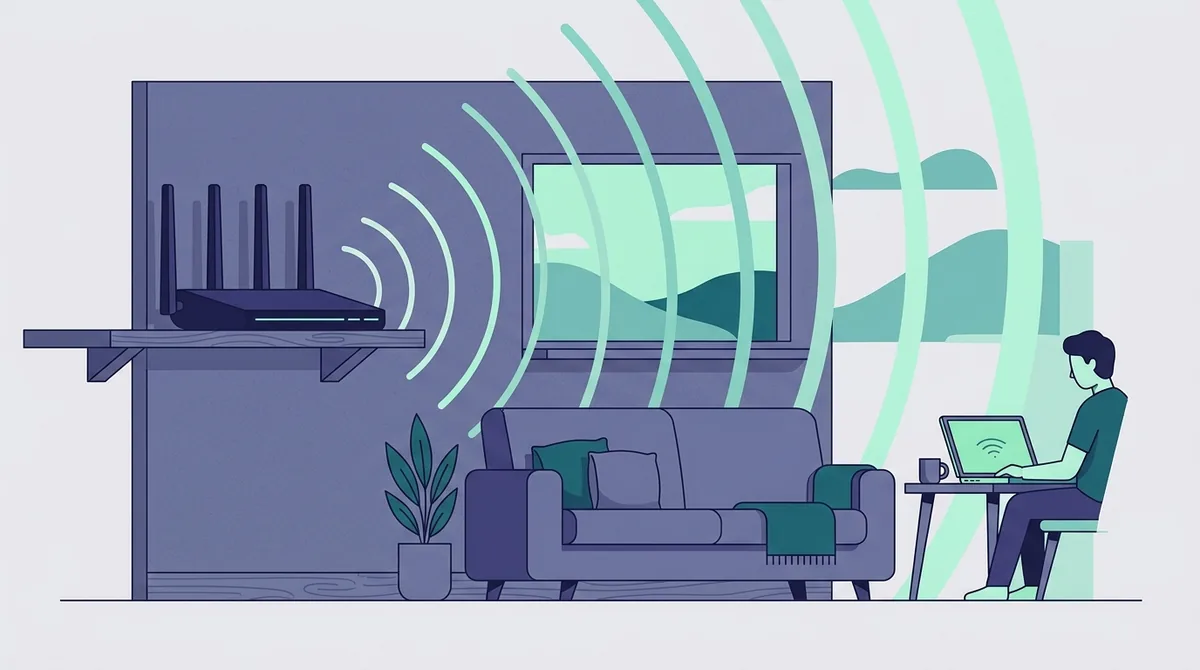
Signal spreads outwards and slightly downwards, so waist height or higher in a central spot beats a corner every time.
Metal, mirrors and water tanks block it badly. So does a fish tank, which surprises people.
Moving the router two metres often does more than buying a better one, and it costs nothing to try first.
If the only socket is in a corner, a longer cable from the ISP box costs a couple of hundred rupees and buys you a better position.
The 42,000 ratings question
The D-Link M30 shows a very large ratings count against a score below four, and that combination needs reading carefully.
Amazon groups ratings across variants of a listing, so a big number doesn't always mean that exact model was bought that many times.
I counted the ratings and the score as the page displayed them on the day, and that's what's in the table above.
Treat a low score with a huge count as a caution rather than a disqualification.
What none of these will fix
A slow plan. A router improves how the speed reaches your rooms. It cannot create speed the line doesn't carry.
So run a speed test with a cable plugged straight into the ISP box first. If that's slow, the router isn't your problem.
It also can't fix a bad connection during peak hours, which is a provider issue.
Buy a router to fix coverage and device count, not to fix your plan.
And it cannot fix a phone with a weak radio. If one device is slow everywhere and the others are fine, the device is the problem.
Setting it up without losing an evening
Plug the new router into the ISP box with a cable, into the port marked for the internet. That's it for wiring.
Use the manufacturer's app rather than the web page. It's faster and it handles the login details for you.
Keep the old ISP box in place. You're not replacing it, you're putting a better router in front of it.
If your provider uses a username and password for the connection, have those to hand before you start.
Change the default admin password while you are in the app. It takes ten seconds and almost nobody does it.
Things worth plugging in afterwards
Once the network is solid, the devices that were unreliable usually start working.
Smart plugs are the usual first casualty of a weak network, because most of them only work on 2.4 GHz and need a steady signal.
So do cameras, which drop recordings when the connection wavers.
We covered both in our smart plug guide and the home camera roundup.
What to buy in one line
Small flat, tight budget: the AC750 at ₹1,999.
Most homes: the Archer C6 at ₹2,799, and it's the one I'd pick.
Many devices, one floor: the D-Link M30 at ₹4,499.
House with thick walls: the Deco X50, and budget for a second unit.
Everything here is in our electronics shelf, and prices move constantly, so check before you order.
Frequently Asked Questions
Will a new router make my internet faster?
It can't create speed your line doesn't carry, but it usually fixes how much of that speed reaches your rooms. If a cable plugged into the ISP box gives you full speed and Wi-Fi doesn't, a new router helps. If the cable is slow too, the problem is your plan.
Do I need Wi-Fi 6 in 2026?
Only if you have a lot of connected devices. Wi-Fi 6 mainly improves how many things can talk at once rather than raw speed. Count your phones, laptops, televisions, cameras and speakers. Past about fifteen it starts to matter, and below that, coverage is the better place to spend.
Should I buy a mesh system or a repeater?
Mesh if the far room needs video calls, a repeater if it only needs messaging. A repeater rebroadcasts your existing signal and roughly halves the speed. Mesh units carry a dedicated link between them, so far less is lost, and everything sits under one network name.
What are gigabit ports and why do they matter?
They're the wired sockets on the back. A router with 100 Mbps ports physically cannot pass more than that, so a 200 Mbps plan is capped by the router itself. If your plan is above 100 Mbps, check for gigabit before looking at anything else.
Can I remove my ISP router completely?
Usually not, because it also handles the connection to the line itself. The normal setup is to keep it and plug your new router into it with a cable. You then turn off the ISP box's own Wi-Fi so the two networks don't overlap. Our tablet guide covers what a steady connection is worth for streaming.